Press kit

Invoicing that means business.

Ledger is a complete invoicing and business management app that brings quotes, invoices, clients, payments, and products records together in one place. Quotes become invoices in a single click or tap, every client has a complete history, and built-in cost tracking shows the margin behind the work. Ledger extends across Mac, iPhone, iPad, Apple Watch, Apple TV and Vision Pro, with each platform designed around how it’s actually used. Data can sync privately through the user’s own iCloud account or stay entirely on one device. Ledger is available as a one-time purchase or yearly subscription through the App Store.

Studio name is styled Avenue apps: capital A on Avenue, lowercase a on apps.

Assets

Screenshots and artwork

Screenshots are unmodified captures, with no device frames or effects applied. Present them however suits your layout. Artwork may not be altered, recoloured or composited.

App icon

1024 × 1024 PNGDownload group
  • The Ledger app iconThe Ledger app icon, at full size and unmodified.1024 × 1024Download

Mac

PNG, 10 capturesDownload group
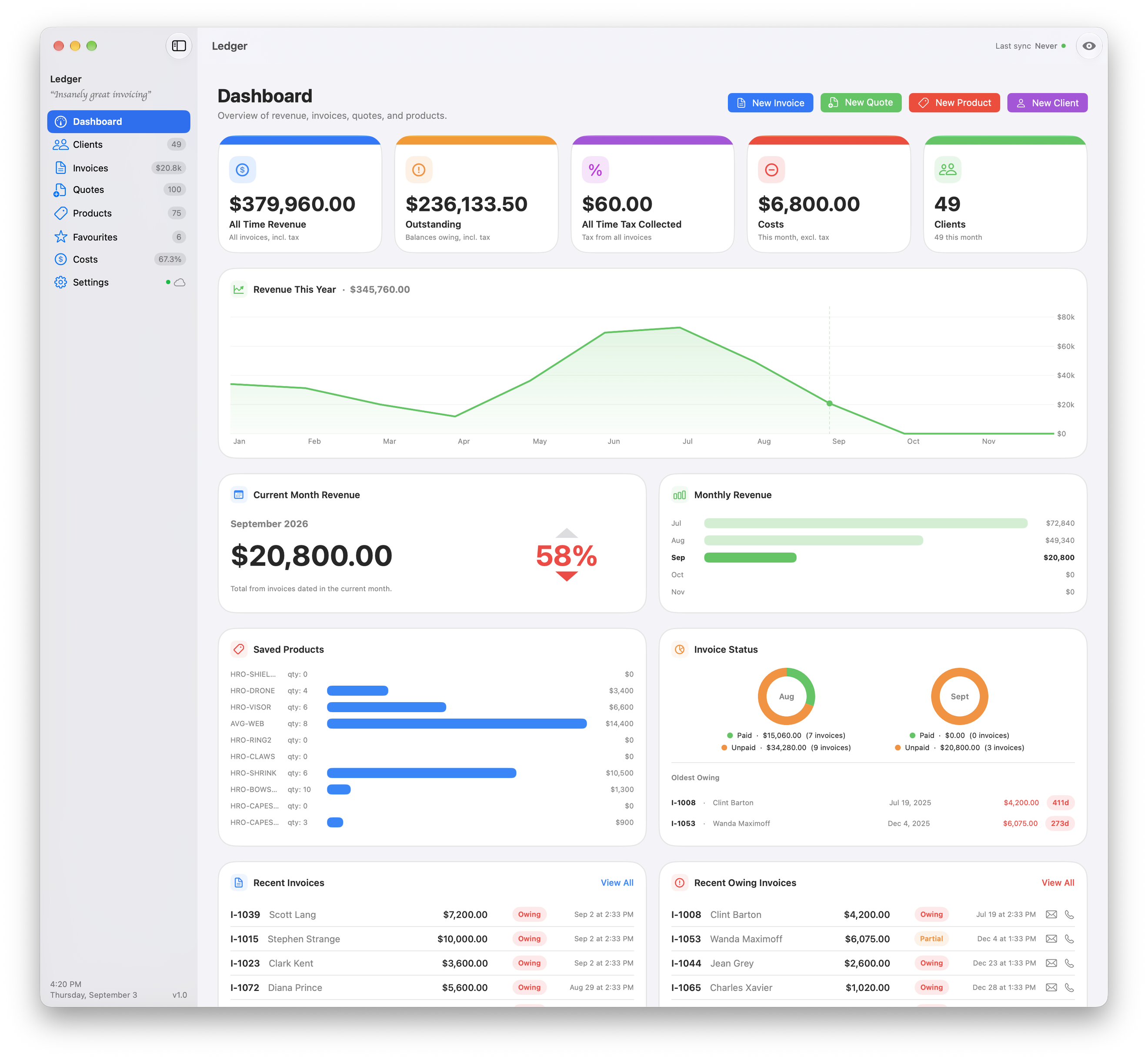
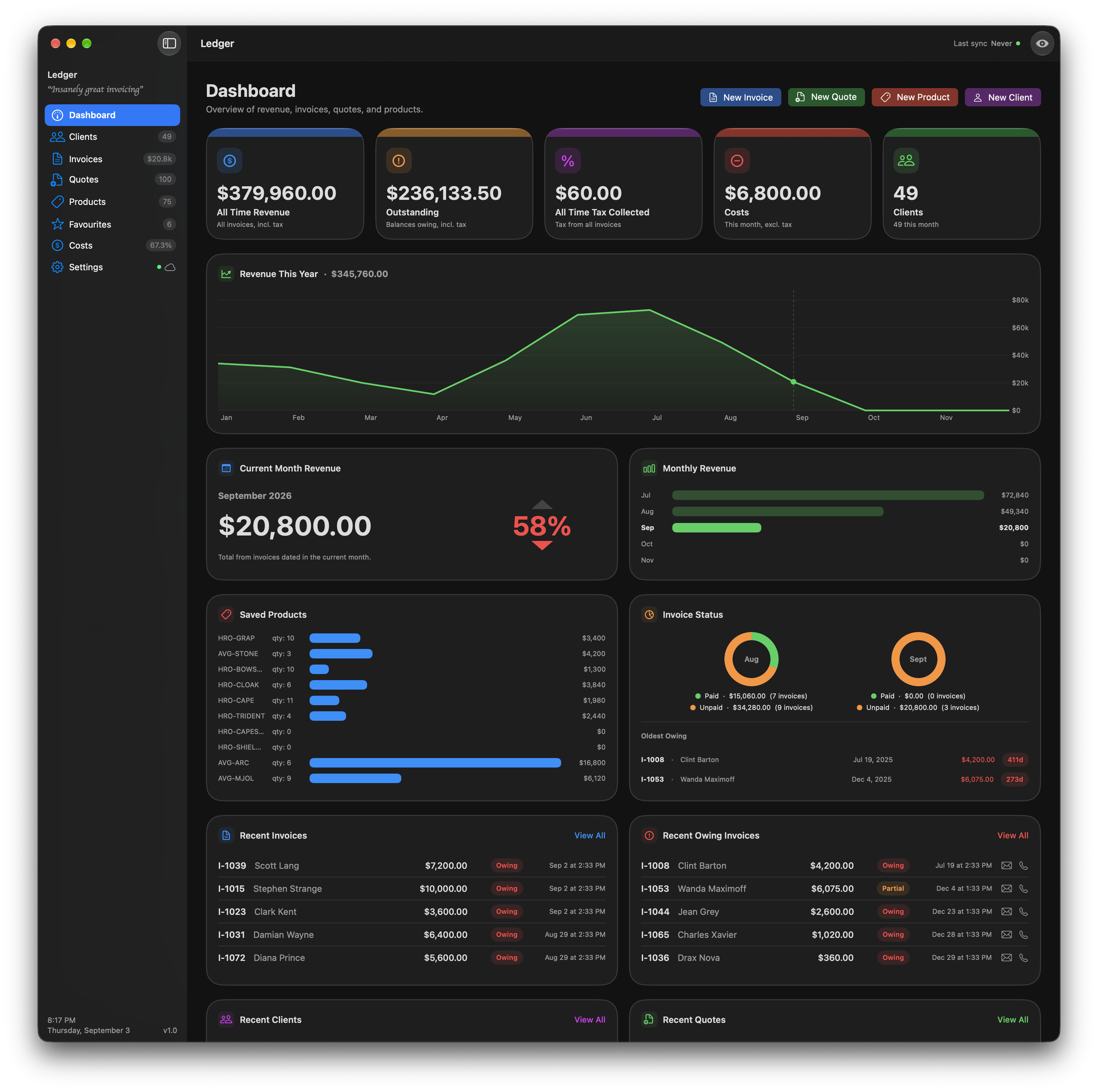
  • The Mac dashboard: all time revenue, outstanding balances, tax collected, costs and client count, over the year's revenue chart.The Mac dashboard: all time revenue, outstanding balances, tax collected, costs and client count, over the year's revenue chart.2640 × 2438Download
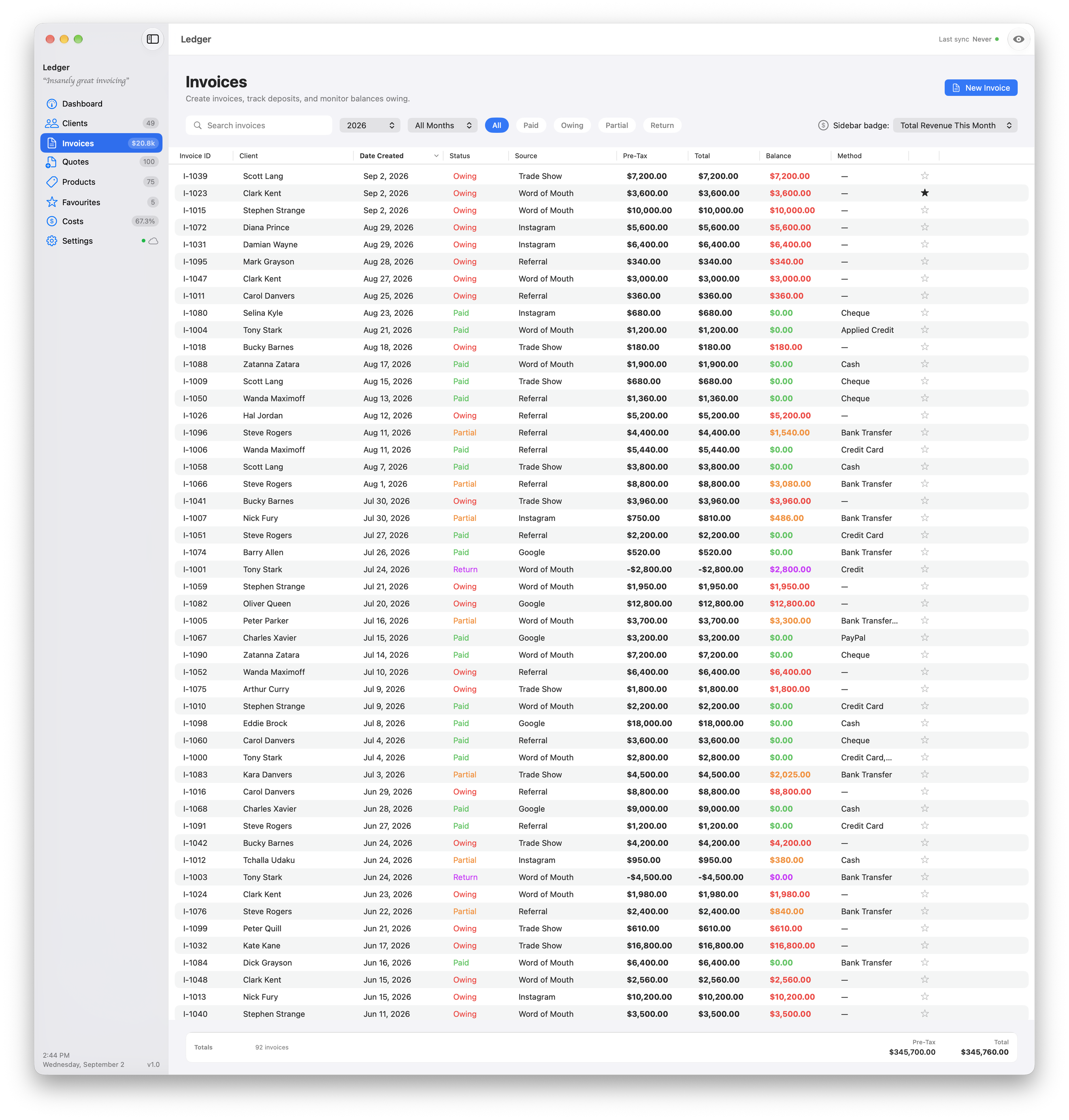
  • The full invoice list, with status, balance and age on every row.The full invoice list, with status, balance and age on every row.2640 × 2767Download
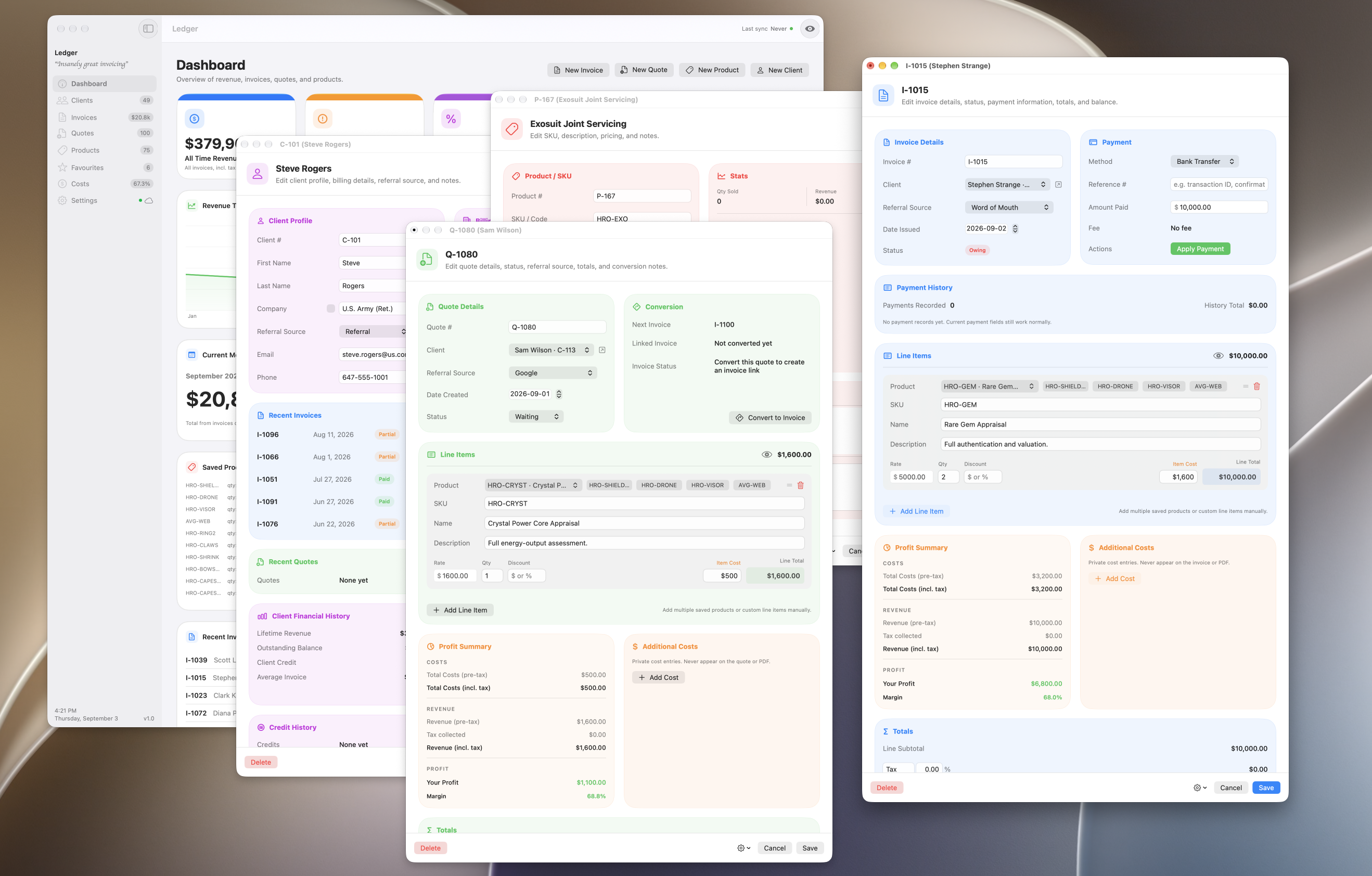
  • Several Ledger windows open at once, so invoices, quotes and reports sit side by side.Several Ledger windows open at once, so invoices, quotes and reports sit side by side.2637 × 1684Download
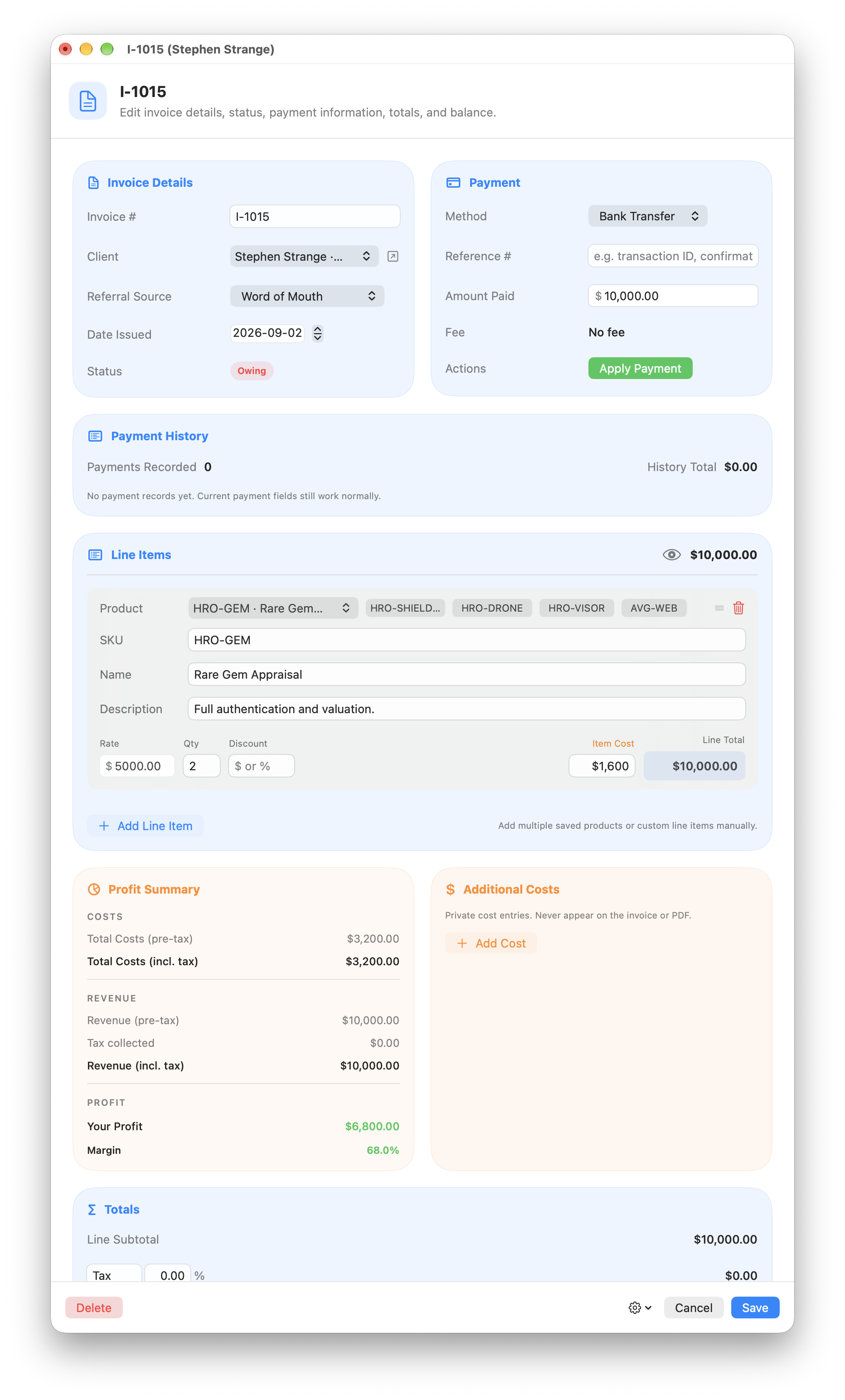
  • The invoice editor, with line items above a payment history and a profit and margin summary.The invoice editor, with line items above a payment history and a profit and margin summary.1864 × 3088Download
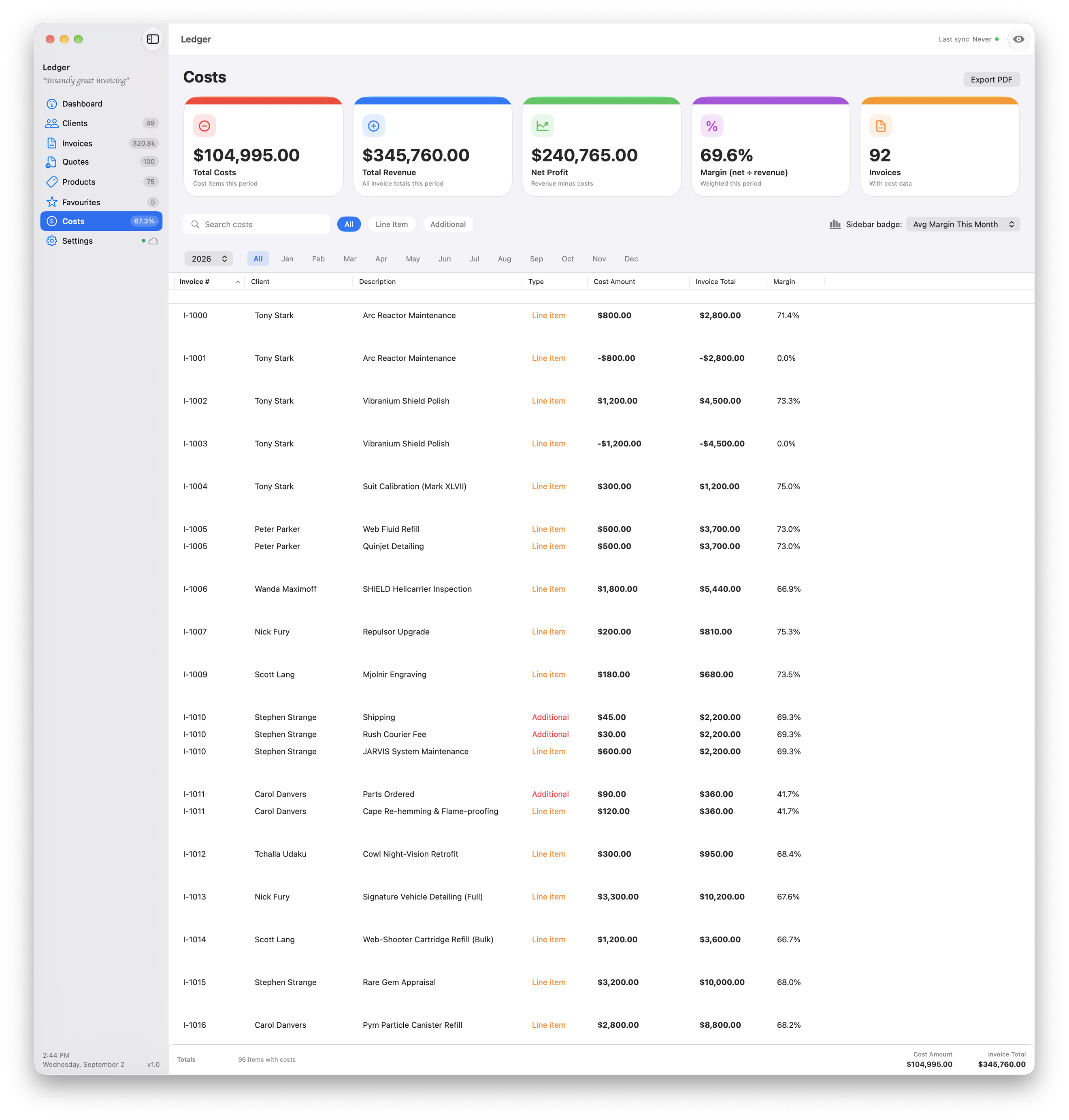
  • The cost and margin report, totalling revenue, costs and profit across every job.The cost and margin report, totalling revenue, costs and profit across every job.2640 × 2767Download
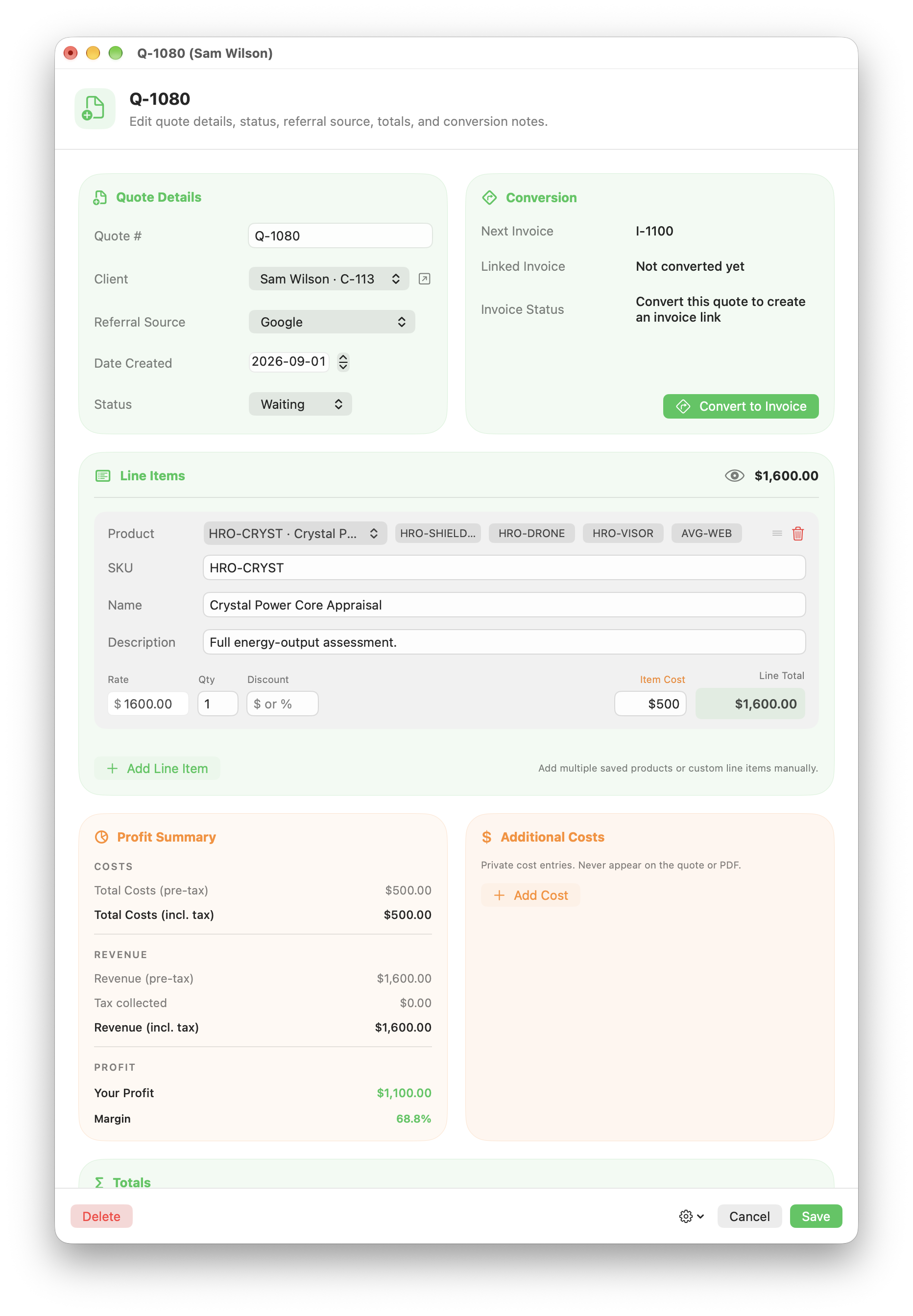
  • A quote in the editor, with the panel that turns it into an invoice without retyping anything.A quote in the editor, with the panel that turns it into an invoice without retyping anything.1864 × 2688Download
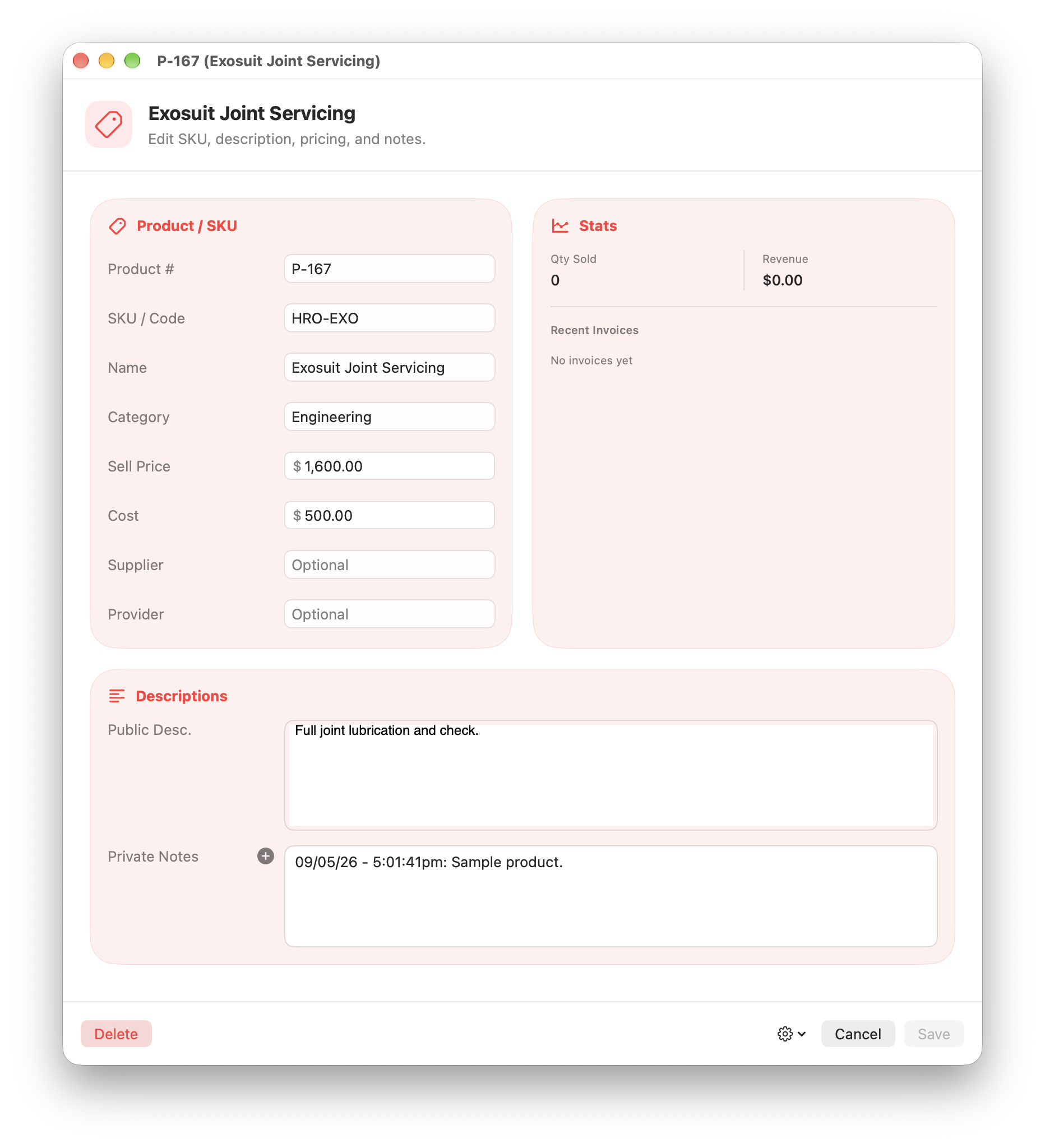
  • A saved product, with the price, the cost and the notes that carry through onto an invoice.A saved product, with the price, the cost and the notes that carry through onto an invoice.1864 × 2048Download
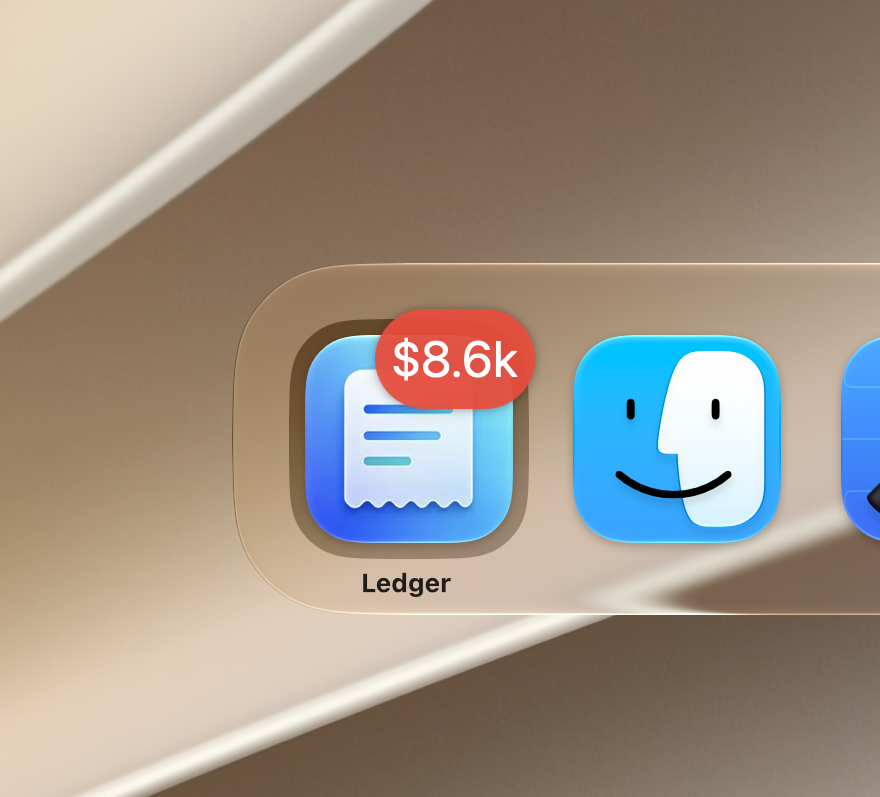
  • The Dock icon, badged with the total currently outstanding.The Dock icon, badged with the total currently outstanding.880 × 797Download
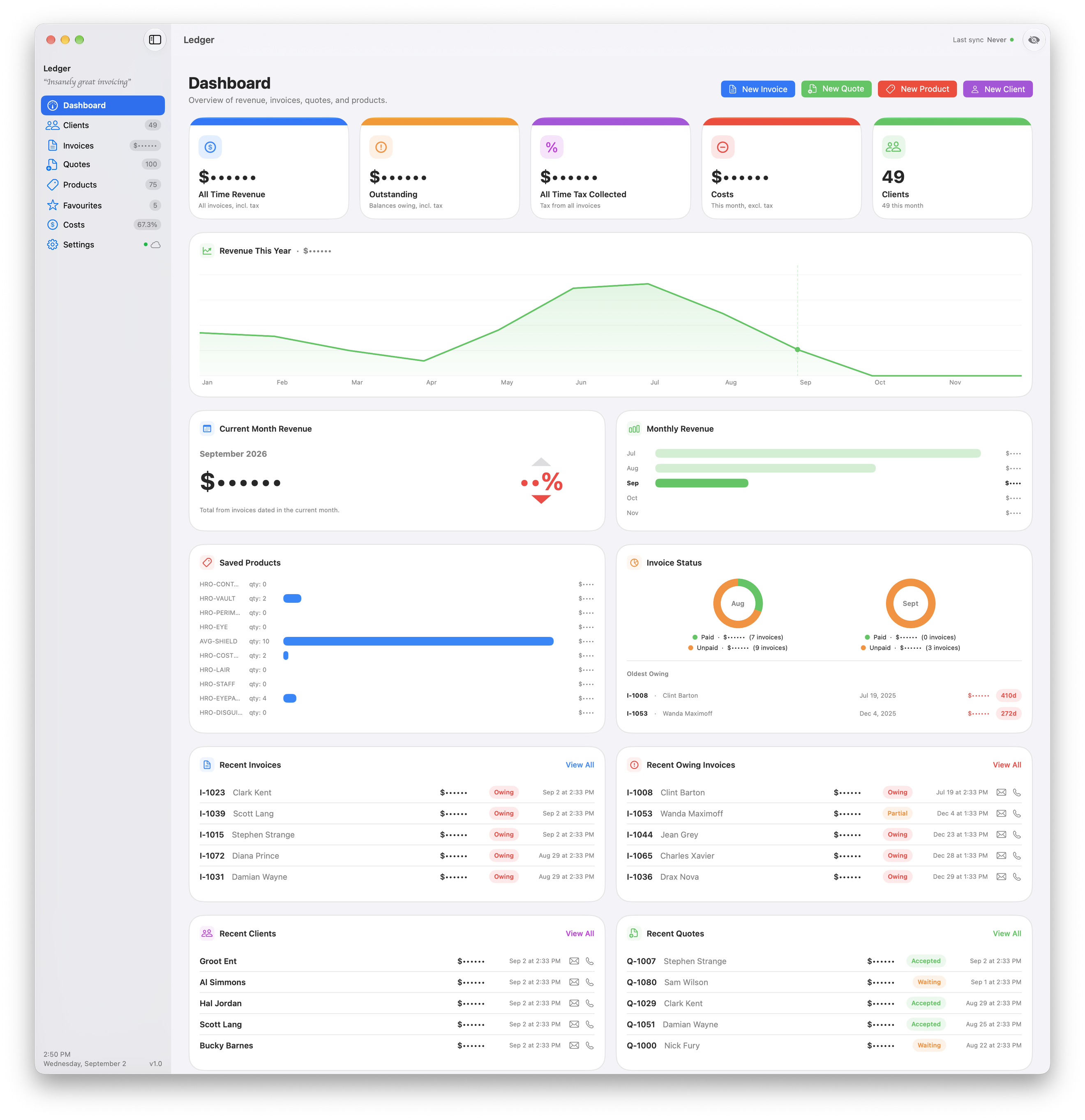
  • Privacy mode switched on, with every figure on the dashboard hidden for working somewhere public.Privacy mode switched on, with every figure on the dashboard hidden for working somewhere public.2640 × 2438Download
  • The same dashboard in dark mode.The same dashboard in dark mode.2640 × 2625Download

iPhone

PNG, 6 capturesDownload group
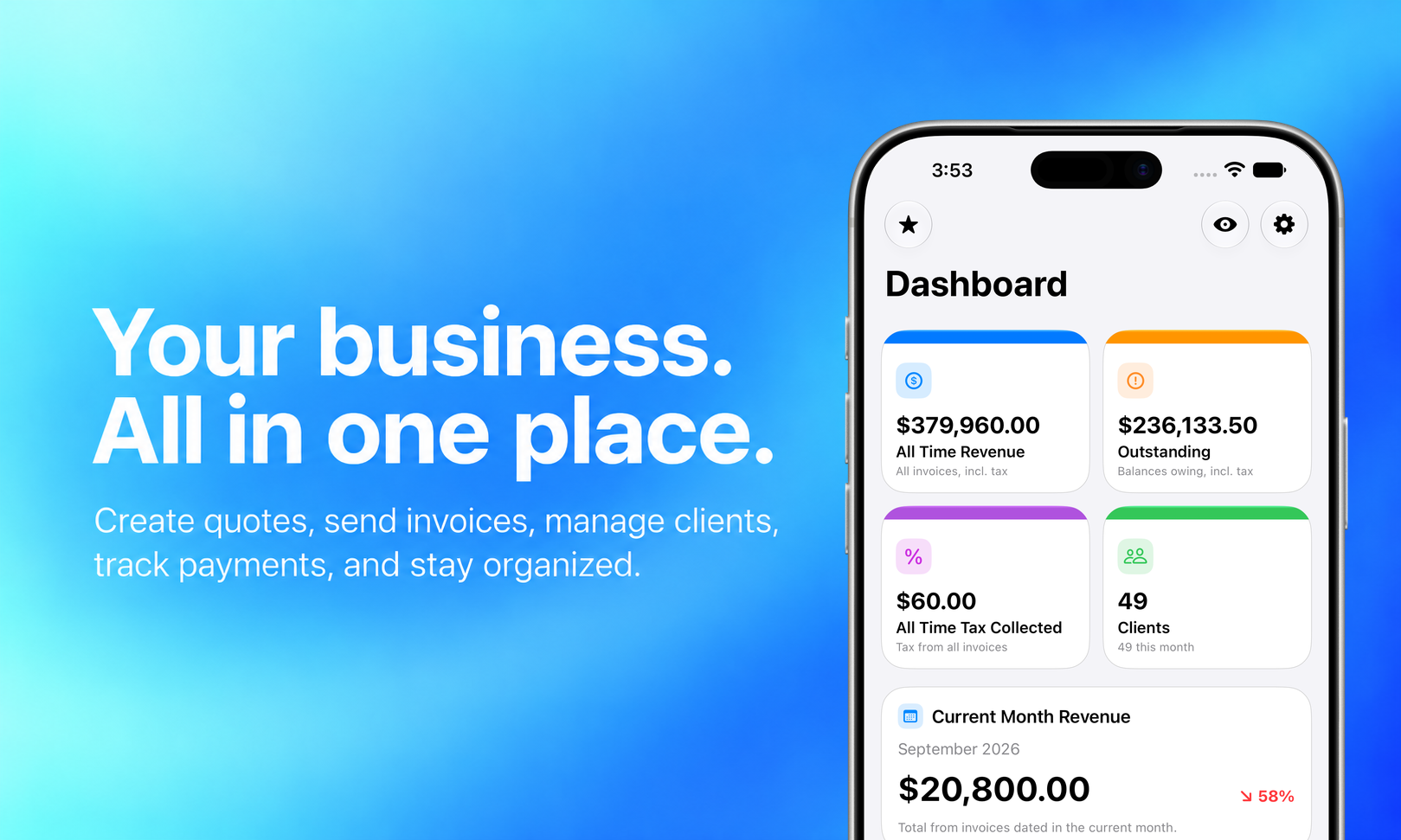
  • A composed marketing graphic: the iPhone dashboard against a blue gradient, with the headline 'Your business. All in one place.'A composed marketing graphic: the iPhone dashboard against a blue gradient, with the headline 'Your business. All in one place.'1619 × 971Download
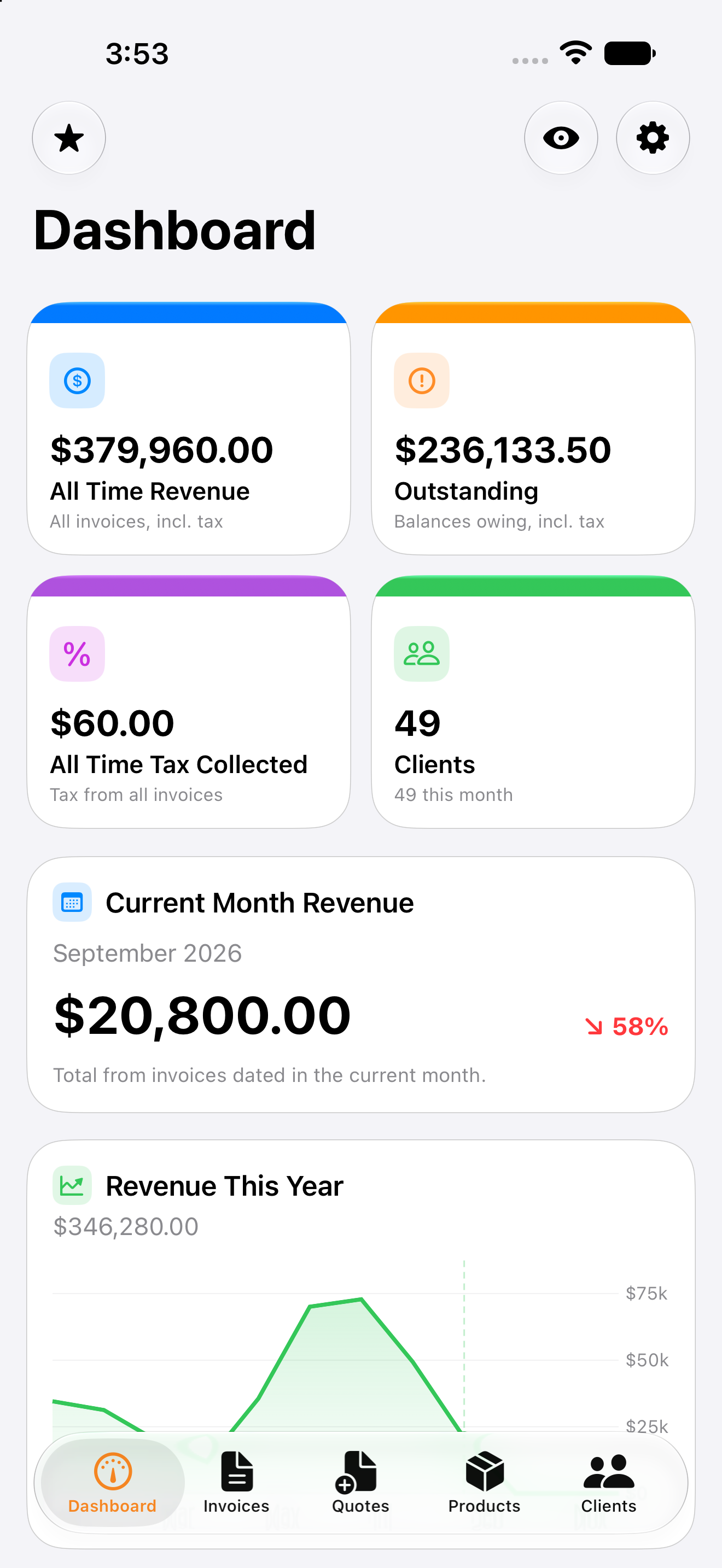
  • The dashboard on iPhone: revenue, outstanding, tax collected and clients, with this month's total below.The dashboard on iPhone: revenue, outstanding, tax collected and clients, with this month's total below.1320 × 2868Download
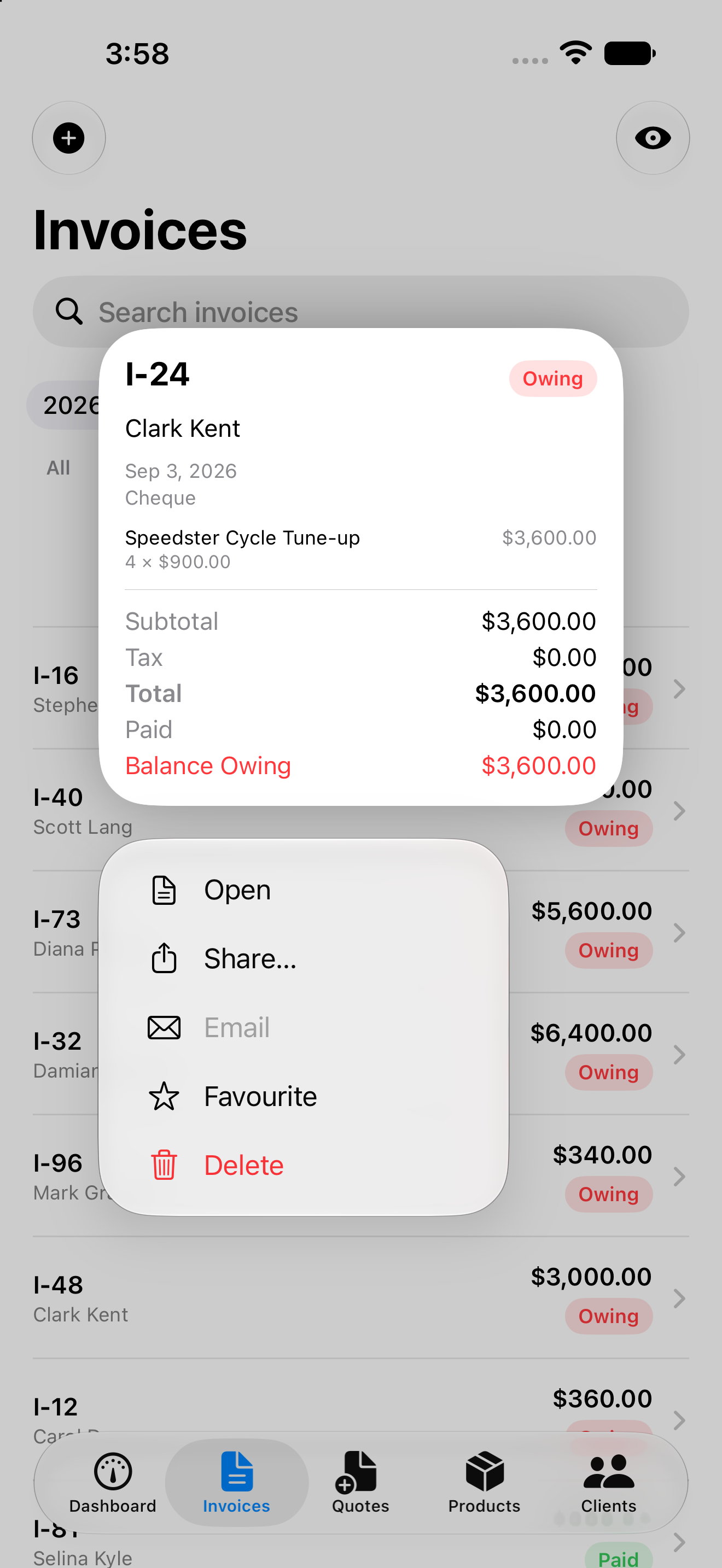
  • The invoice list, with a press and hold preview and its shortcuts open on one invoice.The invoice list, with a press and hold preview and its shortcuts open on one invoice.1320 × 2868Download
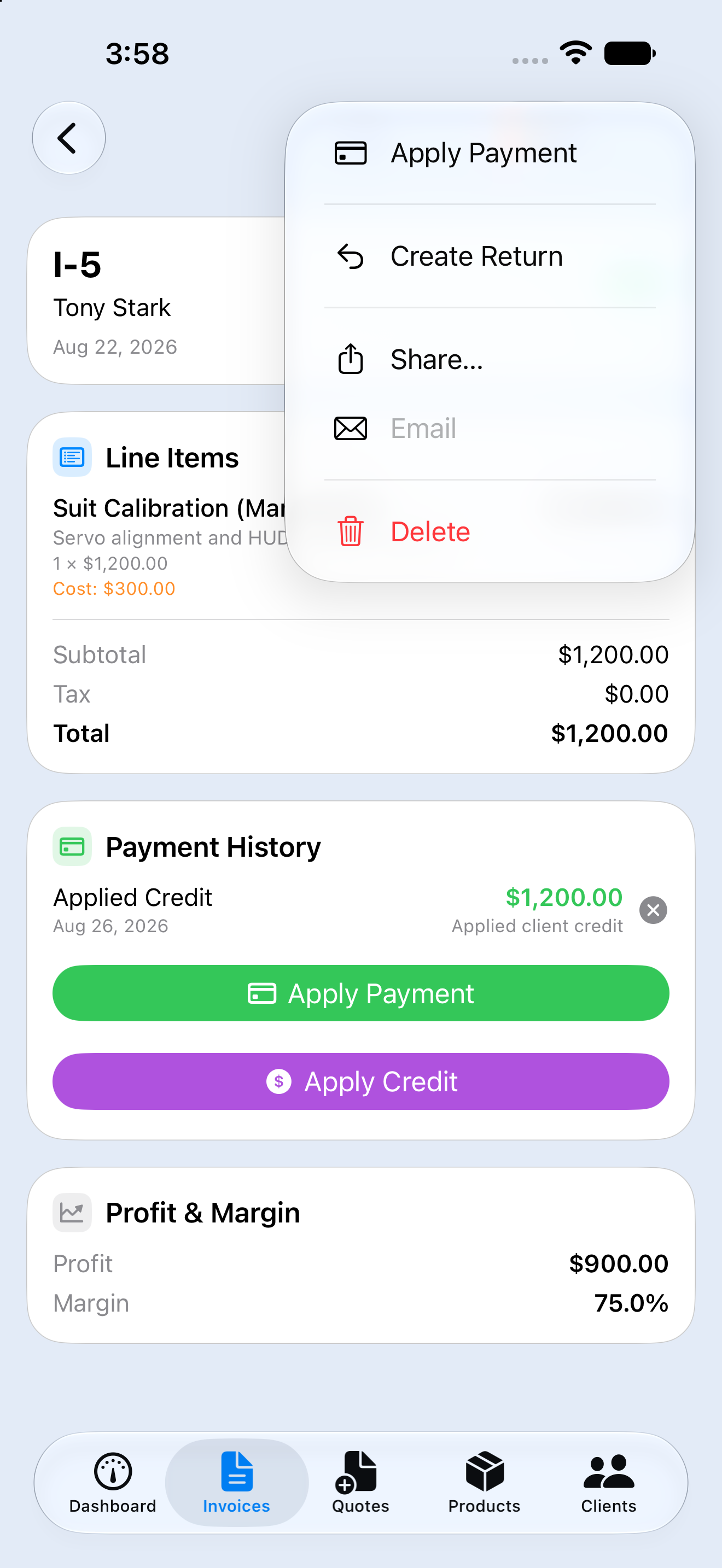
  • An invoice open, with the menu for applying a payment, creating a return or sharing it.An invoice open, with the menu for applying a payment, creating a return or sharing it.1320 × 2868Download
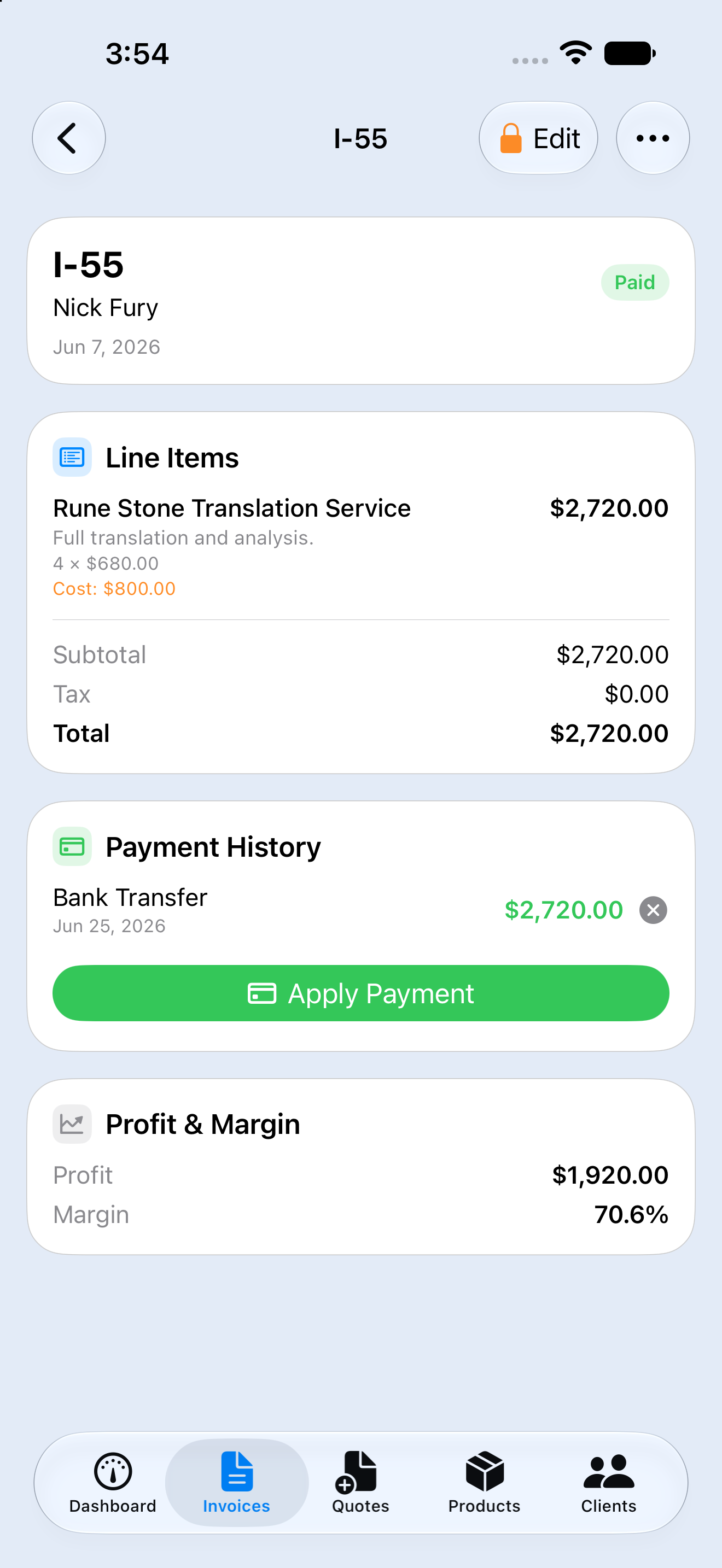
  • An invoice's line items, payment history and margin, on the phone.An invoice's line items, payment history and margin, on the phone.1320 × 2868Download
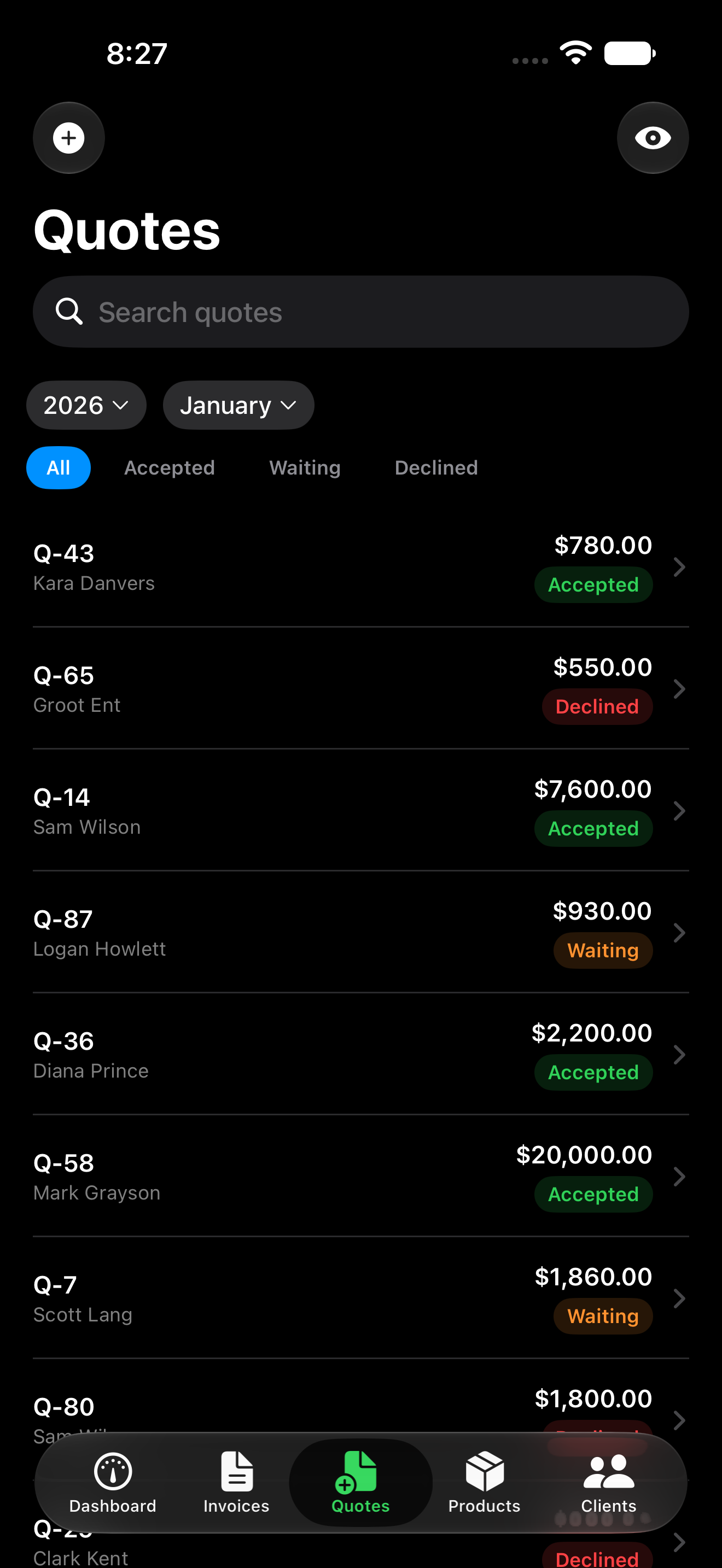
  • The quotes list in dark mode, with each quote's value and status.The quotes list in dark mode, with each quote's value and status.1320 × 2868Download

iPad

PNG, 3 capturesDownload group
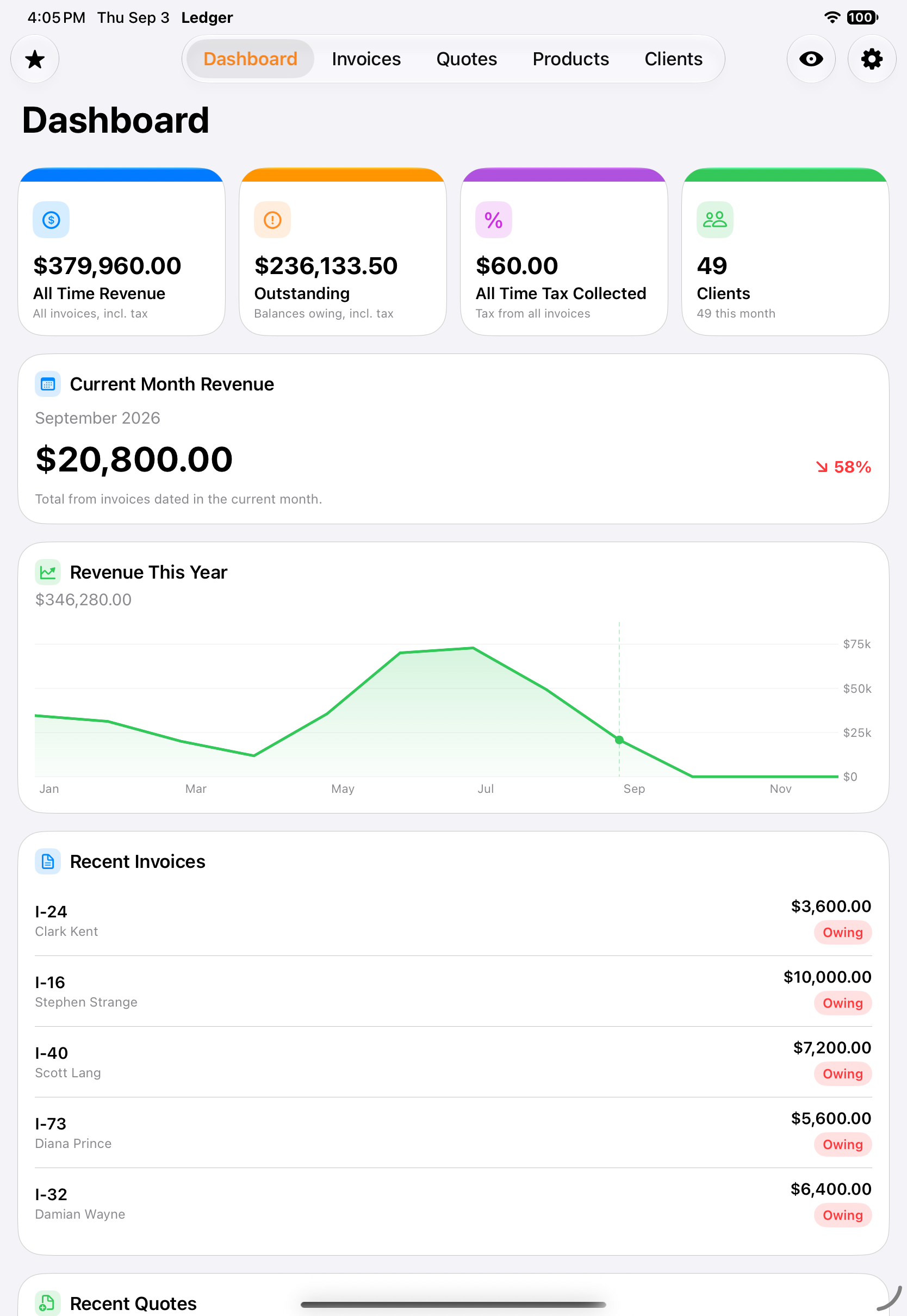
  • The dashboard on iPad, with the year's revenue chart and recent invoices on one screen.The dashboard on iPad, with the year's revenue chart and recent invoices on one screen.1668 × 2420Download
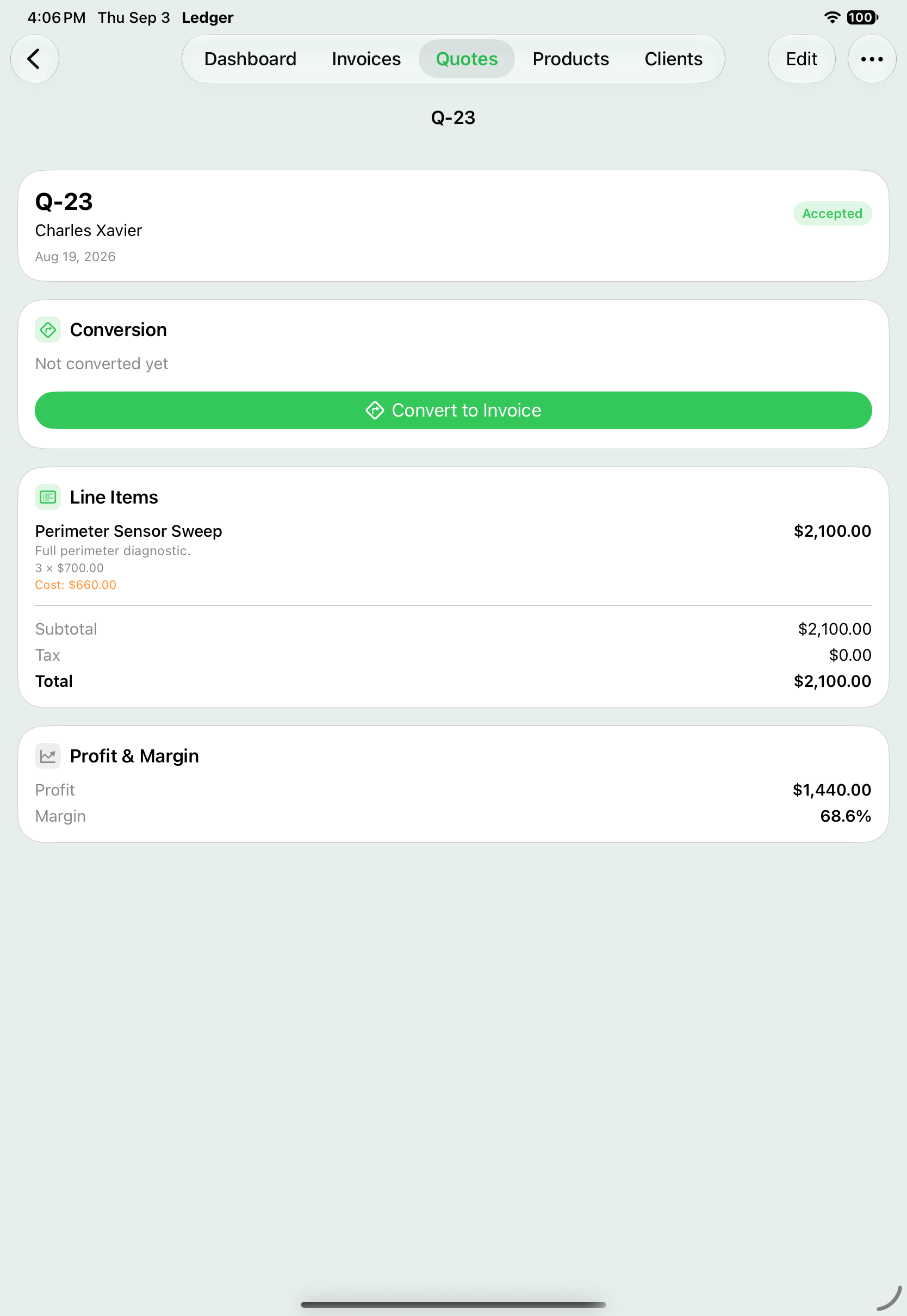
  • A quote on iPad, one tap from becoming an invoice.A quote on iPad, one tap from becoming an invoice.1668 × 2420Download
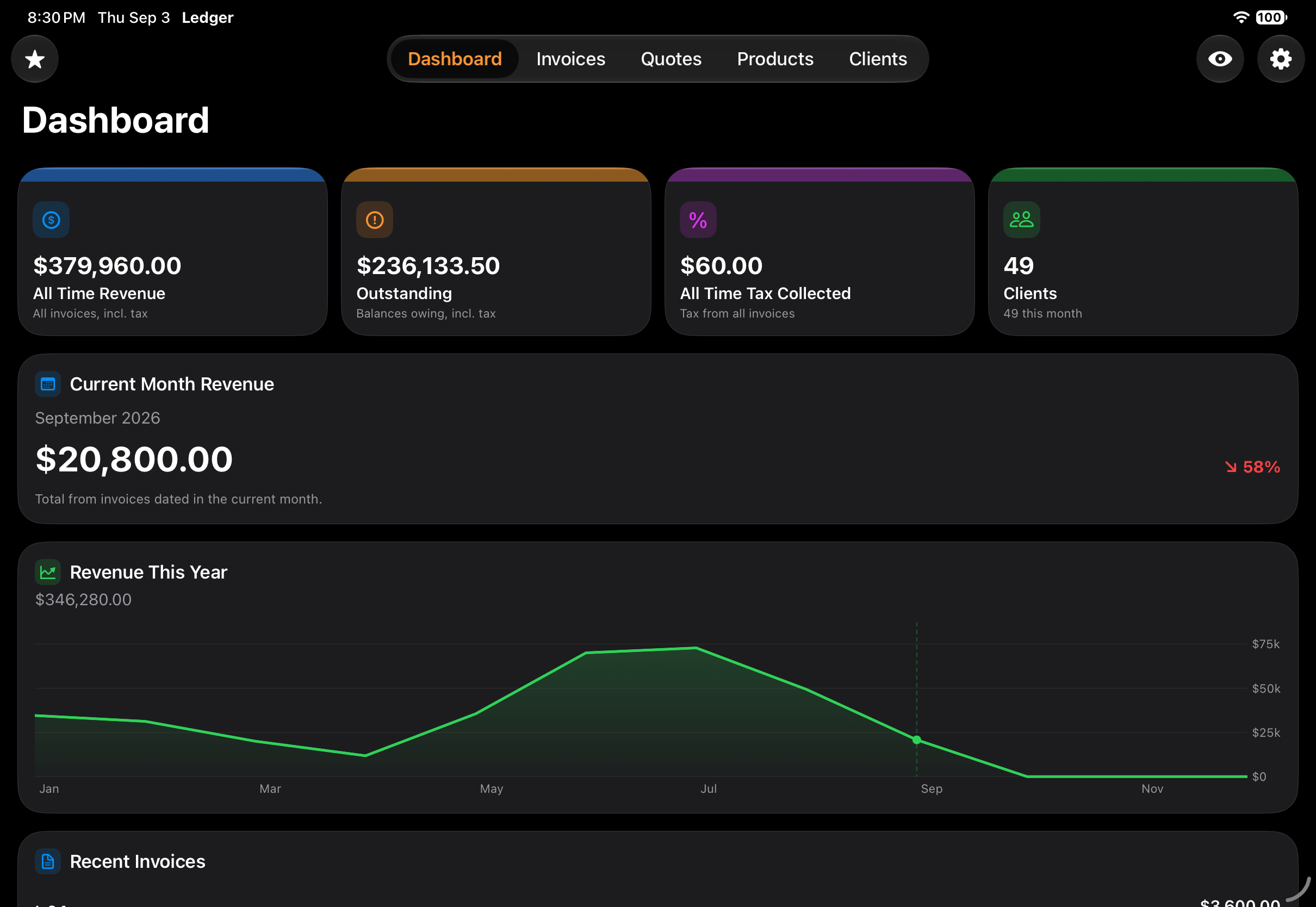
  • The iPad dashboard in dark mode, held landscape.The iPad dashboard in dark mode, held landscape.2420 × 1668Download

Apple Watch

422 × 514 PNGDownload group
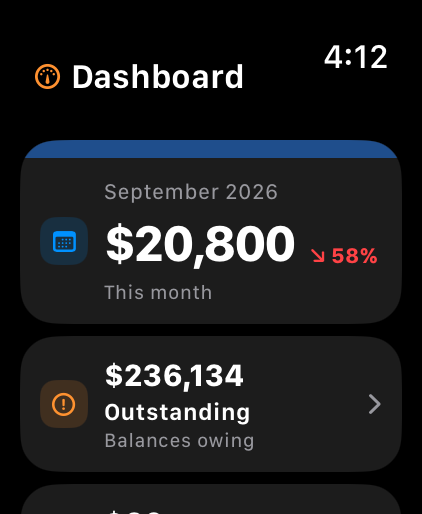
  • On the wrist: this month's revenue and the total still outstanding.On the wrist: this month's revenue and the total still outstanding.422 × 514Download
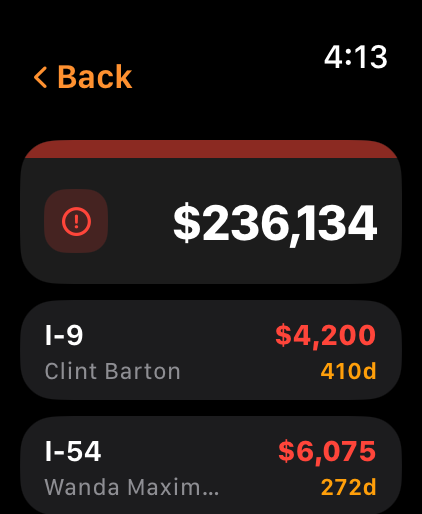
  • Outstanding invoices on the watch, oldest first, with how long each has been owing.Outstanding invoices on the watch, oldest first, with how long each has been owing.422 × 514Download

Apple TV

2640 × 1485 PNGDownload group
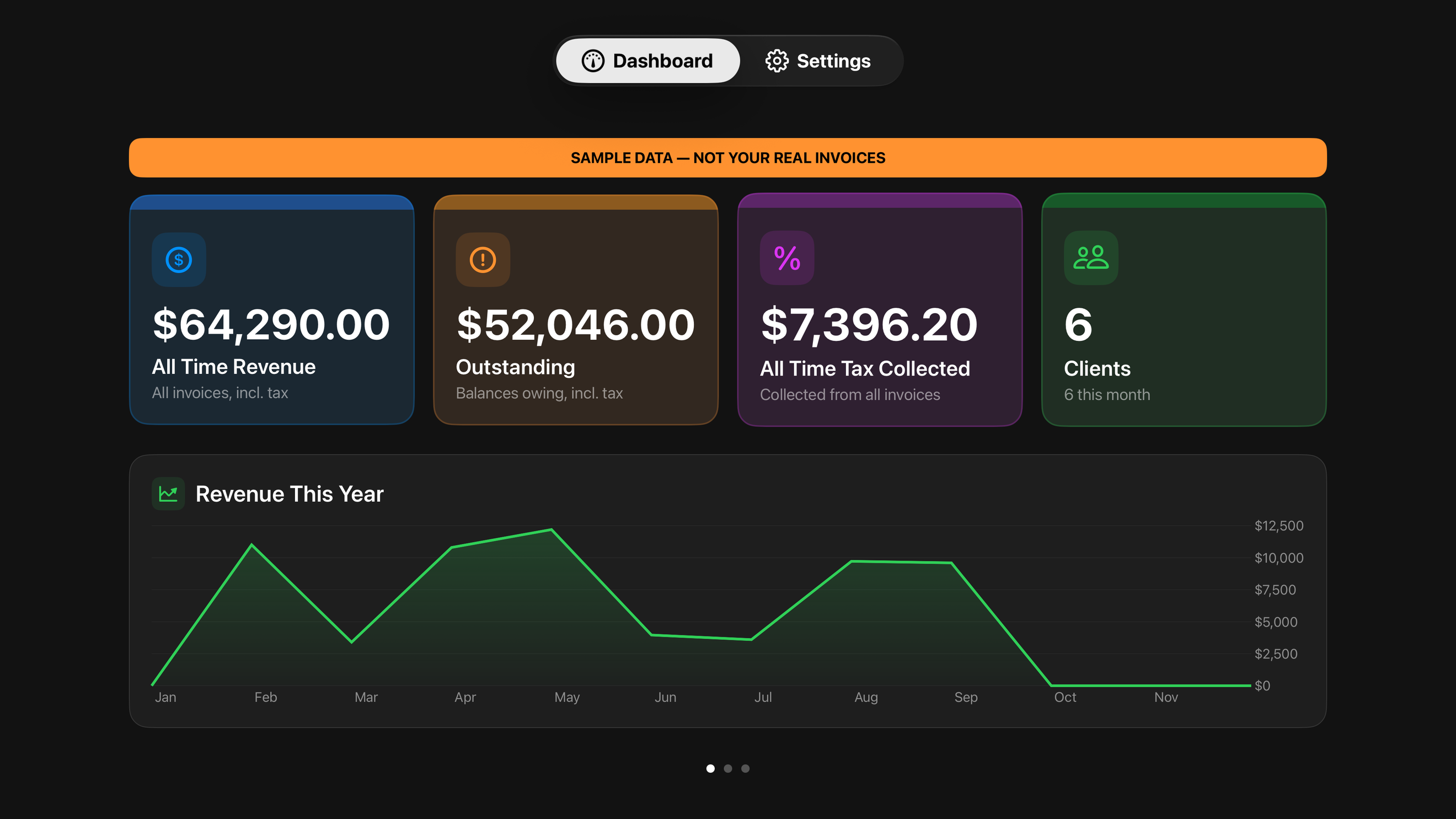
  • The dashboard on Apple TV, sized for a room rather than a desk.The dashboard on Apple TV, sized for a room rather than a desk.2640 × 1485Download

Vision Pro

2640 × 1485 PNGDownload group
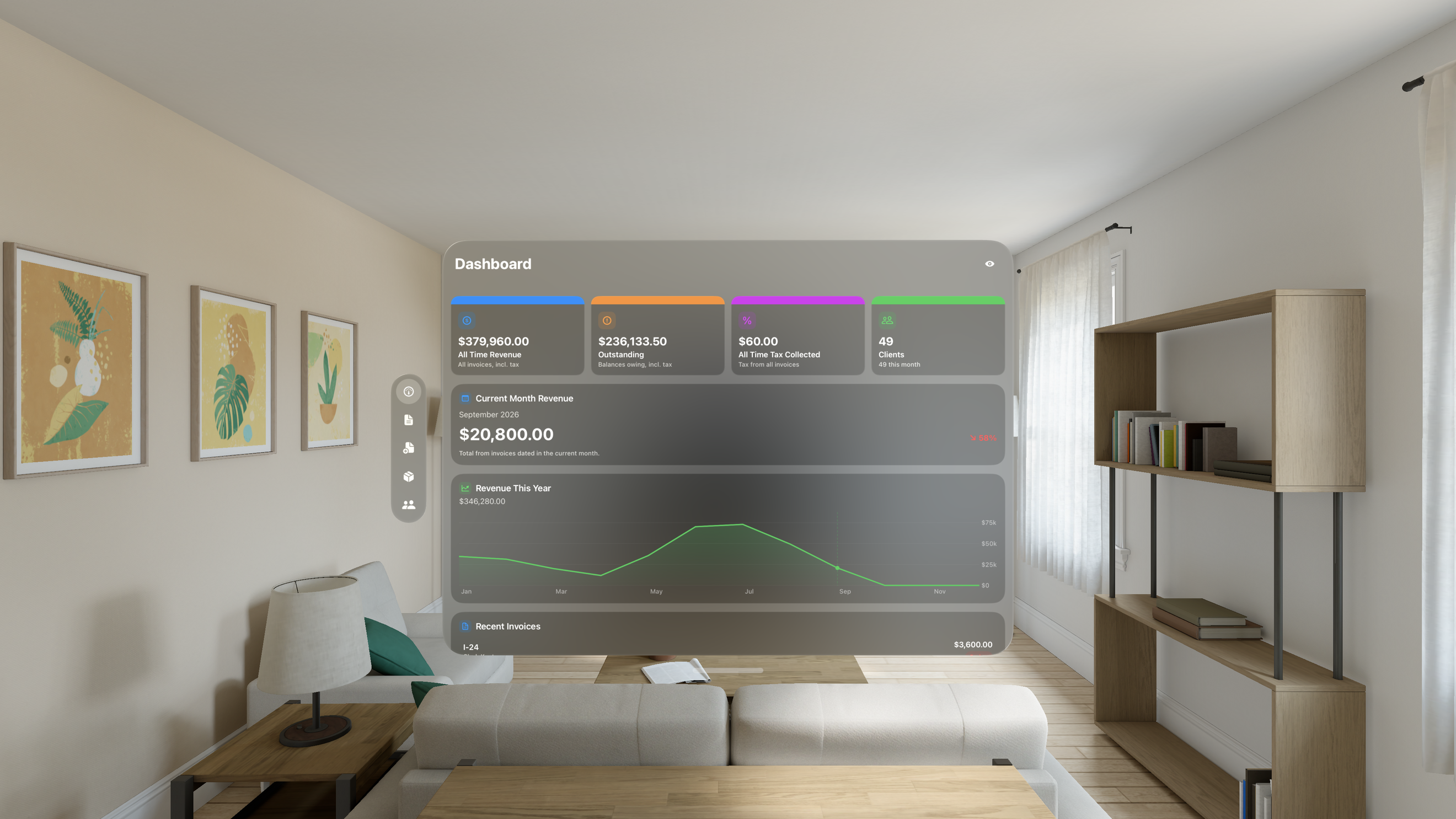
  • Ledger's dashboard placed in the room on Vision Pro.Ledger's dashboard placed in the room on Vision Pro.2640 × 1485Download

Press enquiries: support@avenueapps.ca · Ledger's own page · Privacy · Support